Free habit tracker for Android
कर्मण्येवाधिकारस्ते मा फलेषु कदाचन
Do the work.
Let go of the fruit.
A habit tracker built on one idea: showing up is the whole job. It runs entirely on your phone, keeps a statistical record of consistency, and asks nothing of you.

On-device statistics
Your progress, measured.
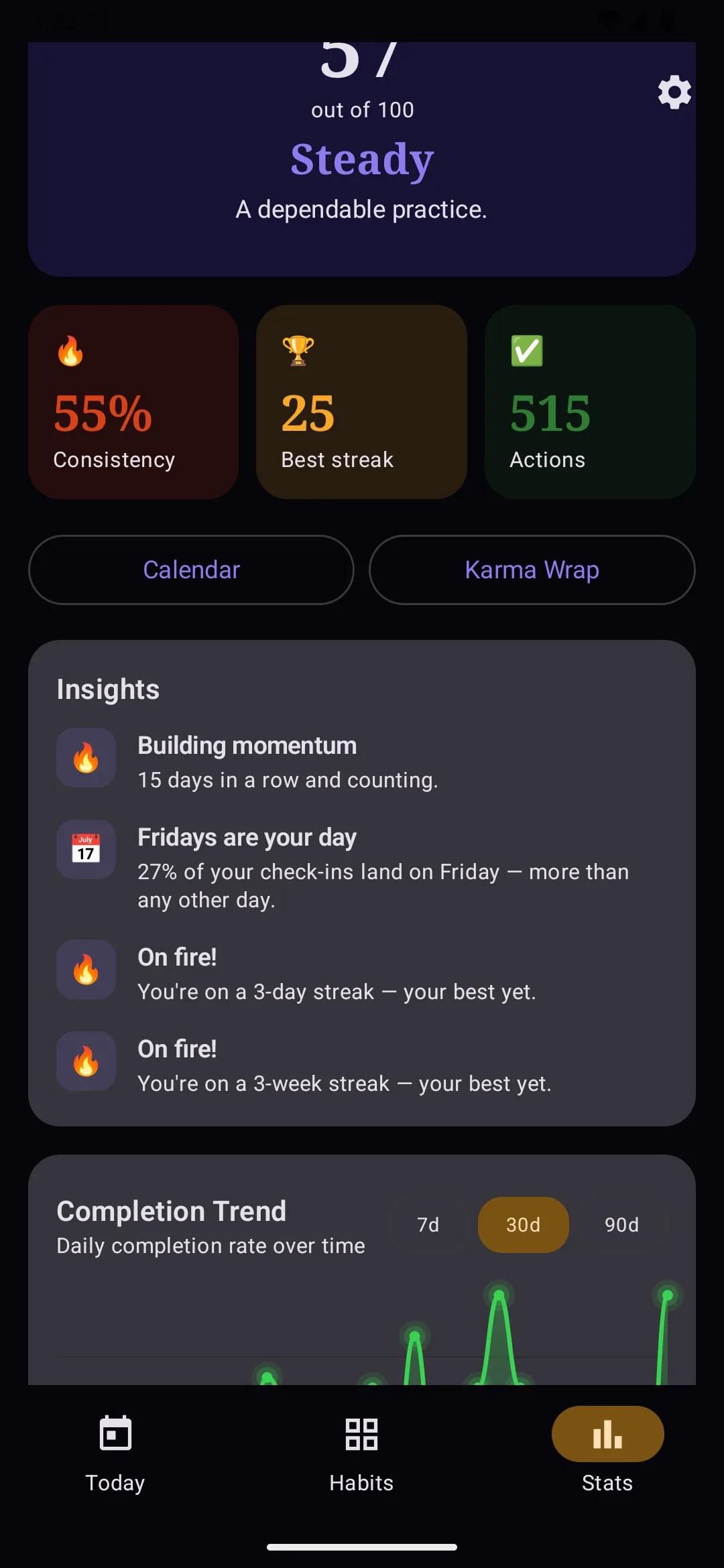
Every figure is computed from your own rows — consistency, streaks, recovery. No guesswork, no inferred “insights.” Data you can monitor and trust.
Contribution grid
A year of showing up, in one glance
One cell per day, real calendar months. Empty weeks are part of the record — the average is what compounds.
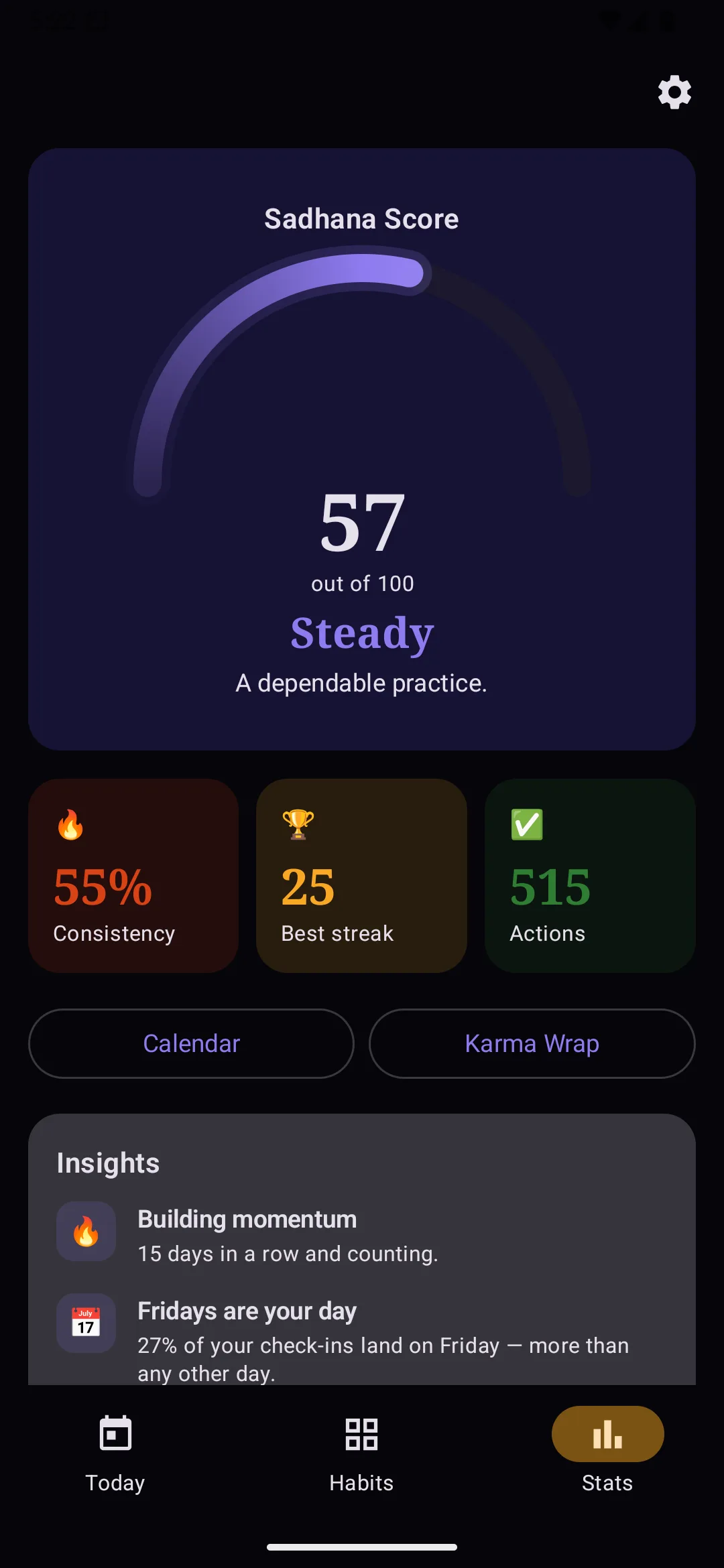
Sadhana score
Recent days weigh more. Miss a stretch and it dips; show up again and it climbs. All on-device.
actions this year — a count, not a vibe. Export the raw rows as JSON or CSV.
Best streak
Scheduled rest does not break it. A skip is not a miss. You can see the exact rule in Stats.
“A missed day is just data, not a failure. The grid keeps going, and so do you.”— the design principle the scoring actually follows
How it actually works
Log it. See the numbers. Keep the record.
Three jobs, done in the open: capture the day, read statistics from your own data, and leave with a history you still own.
01 — Daily logging
One tap today. Long-press for any day you missed.
The whole interaction budget of a habit tracker is spent in the first two seconds. Karmanya spends it on a single tap, and never punishes you for coming back late.
- Tap the ring to log today; tap again to undo it. Nothing is ever committed beyond changing your mind.
- Long-press any past day to fill it in. History is editable, because real weeks are.
- Counts, minutes and simple yes/no live in the same row, so a 40-minute run and a glass of water log the same way.
- Reminders are local notifications from your own phone. No server decides when you get nudged.


02 — Stats & insights
The grid is the point. The numbers explain it.
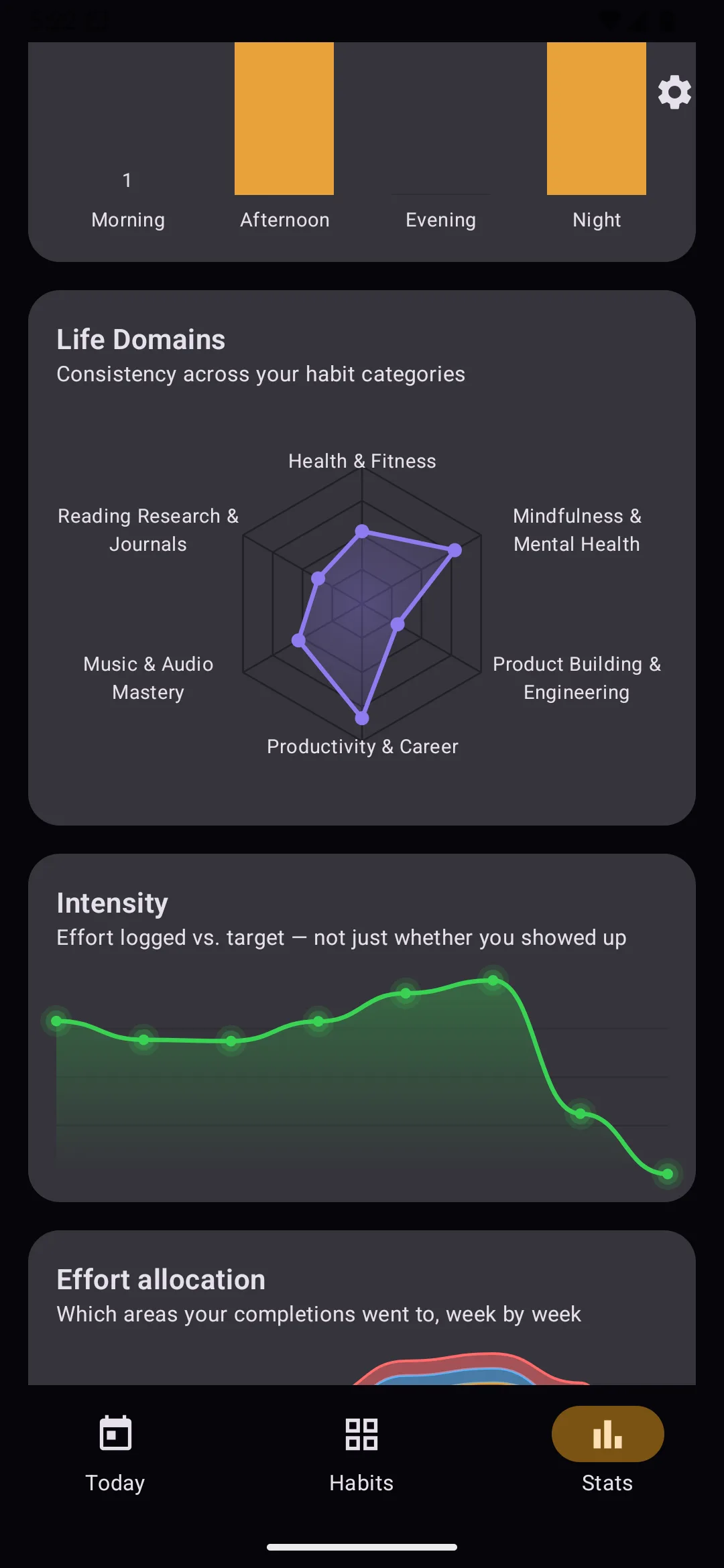
A year of showing up should be visible in one glance. Underneath: consistency, streaks, and the weekday you actually skip — statistical, not guessed.
- A contribution grid per habit, laid out in real calendar months rather than rolling 28-day blocks.
- Streaks, totals, best-ever, and the weekday you are most likely to skip — counted from your logs.
- A radar across life domains so imbalance is a chart you can monitor, not a feeling.
- Every figure is computed on-device from your own rows. There is no model, and nothing is inferred about you.
03 — Keep the record
Your record outlives the app, the phone, and us.
Everything lives in a database on your device. Signing in is optional and adds a copy in your own account. It never becomes the only copy.
- Full CSV and JSON export, any time, with no account. Your history is a file you can keep.
- Optional Google sign-in for a second device. Sign out and the app carries on exactly as before.
- When two devices disagree, you are shown which habits conflict and you decide each one. No silent overwrite.
- Delete your account from inside the app or from this website, and the cloud copy is gone for good.

Every surface
Look inside the app.
Real captures from the shipping build. Start with Habits — every grid, a different colour.


Also in the box
Widgets, Wear OS, and starter templates.
The same record on the Pixel launcher, on the watch, and at the moment you add a habit — captured from the shipping build, not redrawn.
Home screen widgets
Each habit, on the launcher
Pin Gym, hustle, guitar — each habit is its own widget, with that habit’s month-wise grid. Glance, don’t open.


Wear OS
Today’s list on the wrist
Today’s due list on the watch: what’s done, what isn’t. A tap logs it.

Template picker
Start from a life, not a blank box
Gym, guitar, hustle, recovery — pick a preset, then edit every field.

The deal
Most habit trackers want something from you.
Attention, a monthly fee, or your data. Karmanya is built the other way round, and the architecture — not the marketing — is what makes that true.
What we don't do
- No ads — not banners, not "sponsored habits", none
- No subscription, no trial that expires, no paywall
- No data sale and no third-party trackers
- No streak-shaming notifications to drag you back
- No sign-up wall — the app opens straight into use
What you get
- Offline by default. Your habits live in a database on your phone
- Sync is opt-in. Sign in only if you want two devices to match
- Your data is exportable. JSON and CSV, whenever you like
- Deletion actually deletes. Account and cloud data, in one tap
- Every feature, free. Including the ones that cost us money
Why free? Because a habit tracker that nags you into a subscription is working against the thing it claims to help with. Karmanya is small, it has no server of its own, and the optional sync runs on infrastructure that costs cents at this size. That is the whole business model.
Questions
The honest answers
Do I need an account?
No. The app is fully functional without one and always will be. An account exists only to sync between devices, and you can stop using it whenever you like.
What happens to my data if I sign in?
It goes into private storage keyed to your account, which only you can read — enforced by server-side rules, not just app code. It is never sold, shared, or used for advertising.
Will you add a paid tier later?
Everything that exists today stays free. If a genuinely expensive feature ever appears, it would be an optional extra — never a lock on what you already use.
Can I get my data out?
Yes — JSON for a full backup you can restore, CSV for spreadsheets. Both from Settings, no account needed.
Is it open source?
Not yet. The licences of everything it is built on are listed in the app, under Settings → Open-source licences.
Which Android versions?
Android 8.0 and newer, which is the overwhelming majority of active devices. Tested on both the oldest supported release and the newest.
Start today. That's the whole idea.
Free, private, and complete. Nothing to cancel later.